Zendesk Ticket Process

This document represents the support tickets update process. This process is to be executed by the BLT project manager.
After the production process users could experience bugs/issues, users should use the Support system to create tickets describing these issues. The BLT team receives a notification when a new ticket is created and addresses this ticket as soon as possible.
The primary objective of this document is to:
- Describe the process of support tickets maintenance
Ticket Creation in Zendesk
When a ticket is created in Zendesk, it is automatically created in both the customer's Jira and Asana accounts. In Slack, this ticket will appear under production support or the #blt-support channel and addressed within 24 hours.
All support tickets have priority over other ticket types.
All Zendesk tickets should also be added to the SAMA billing project.
Zendesk Ticket Completion
If the ticket is not completed within 24 hours, this should be escalated to the project manager.
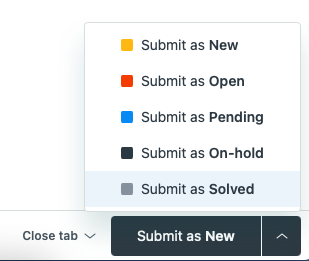
When the ticket is completed in Jira, it should be marked as Submit as Solved in Zendesk.